Managing restaurant expenses effectively is crucial for maintaining profitability and ensuring smooth daily operations. A restaurant expense tracker helps monitor costs such as food supplies, labor, utilities, and other overheads, providing clear insights into spending patterns. Streamline your financial management by using the easy-to-use Excel template below designed specifically for restaurant expense tracking.
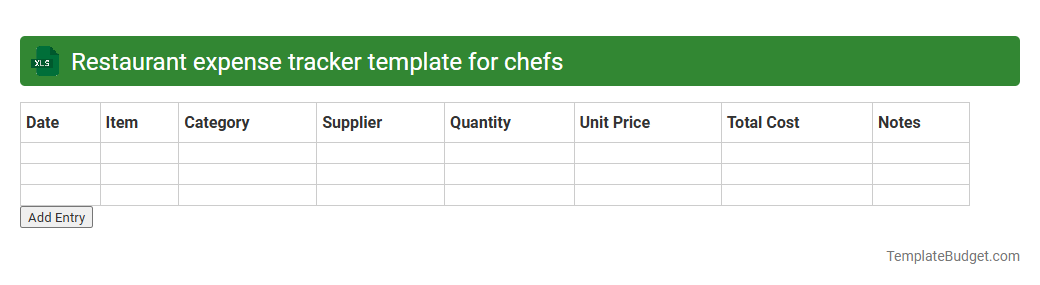
Restaurant expense tracker template for chefs
An Excel document designed as a Restaurant Expense Tracker Template for chefs typically includes categorized expense columns such as food supplies, kitchen equipment, labor costs, and utilities. It contains rows for date, vendor details, item descriptions, quantities, unit prices, and total amounts to facilitate detailed financial monitoring. Integrated formulas automate calculations for monthly totals, budget comparisons, and variance analysis, enhancing cost control and profitability insights.
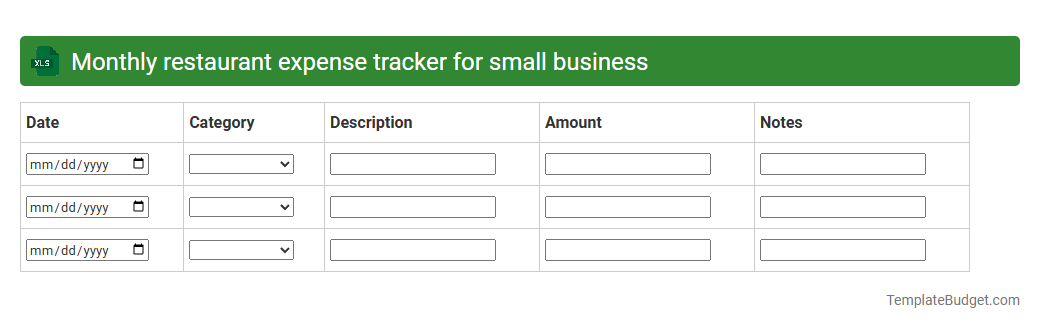
Monthly restaurant expense tracker for small business
An Excel document for a monthly restaurant expense tracker typically includes categorized columns for food supplies, labor costs, utilities, rent, and miscellaneous expenses, with rows organized by date or week. It features formulas to calculate total expenses per category and overall monthly expenditure, assisting in budget management. Charts or pivot tables may be embedded to visualize spending trends and identify cost-saving opportunities.
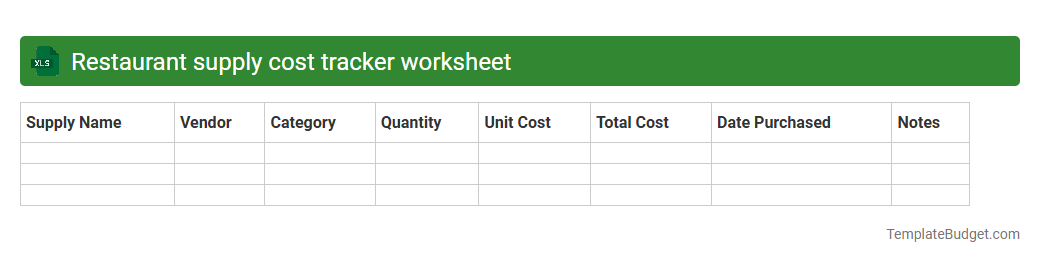
Restaurant supply cost tracker worksheet
A Restaurant Supply Cost Tracker worksheet typically includes columns for item names, quantities purchased, unit prices, suppliers, and total costs for each supply. It often features categories like produce, dairy, meats, beverages, and cleaning supplies to organize expenses efficiently. Built-in formulas calculate monthly expenditures, track budget variances, and generate summary reports for cost control and inventory management.
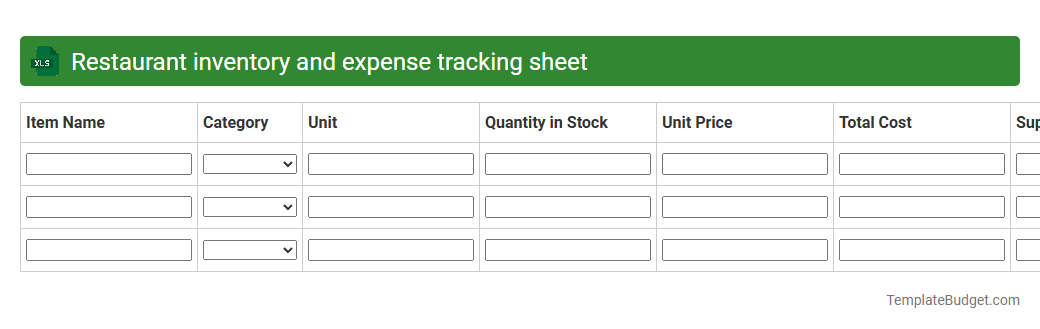
Restaurant inventory and expense tracking sheet
An Excel document for restaurant inventory and expense tracking typically contains detailed lists of food and beverage items, quantities, unit costs, and suppliers, organized by categories such as perishable goods, dry goods, and supplies. It tracks daily or weekly usage rates, purchase dates, and reorder alerts to ensure optimal stock levels and minimize waste. Expense tracking sections often include cost summaries, vendor payments, and budget comparisons to enhance financial control and profitability analysis.
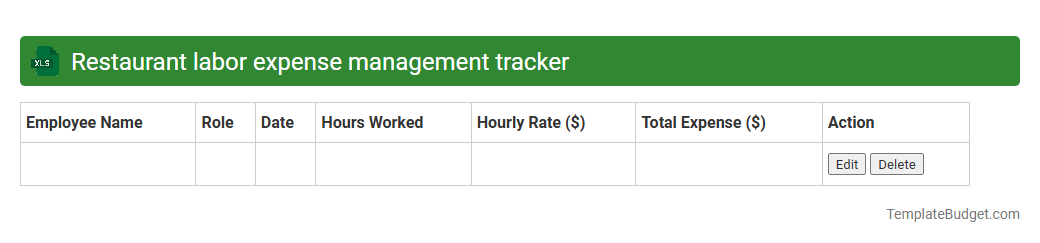
Restaurant labor expense management tracker
An Excel document for restaurant labor expense management typically includes detailed records of employee hours, wage rates, and shift schedules to calculate total labor costs accurately. It often features automated formulas to track overtime, labor cost percentages relative to sales, and budget comparisons. Charts and summary tables may be incorporated to provide visual insights into labor expenses and identify trends or areas for cost optimization.
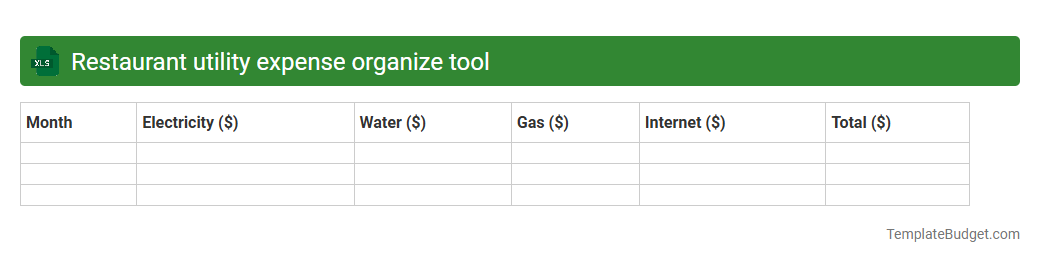
Restaurant utility expense organize tool
An Excel document designed as a restaurant utility expense organizer typically contains detailed categories such as electricity, water, gas, and waste management costs, organized by billing periods and supplier information. It includes columns for tracking monthly or weekly expenses, payment due dates, and budget comparisons to monitor fluctuations and identify cost-saving opportunities. Pivot tables and charts are often integrated to provide visual summaries of utility consumption trends and expense distribution.
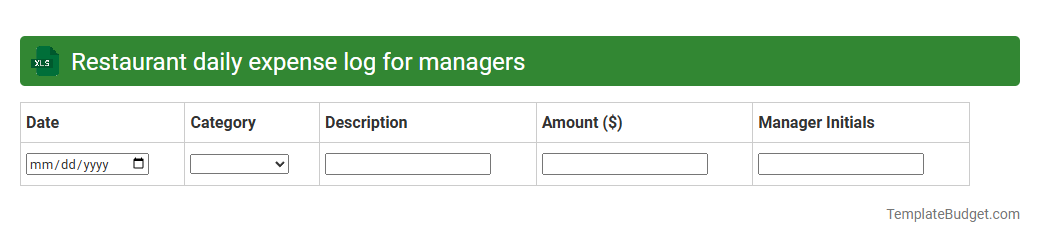
Restaurant daily expense log for managers
An Excel document for a restaurant daily expense log typically contains detailed entries of food and beverage costs, labor wages, utility bills, and miscellaneous operational expenses recorded by date. It includes columns for item descriptions, quantities, unit prices, total amounts, and payment methods to enable accurate tracking and budgeting. Managers use this systematic layout to monitor cash flow, identify cost-saving opportunities, and ensure financial accountability in daily restaurant operations.
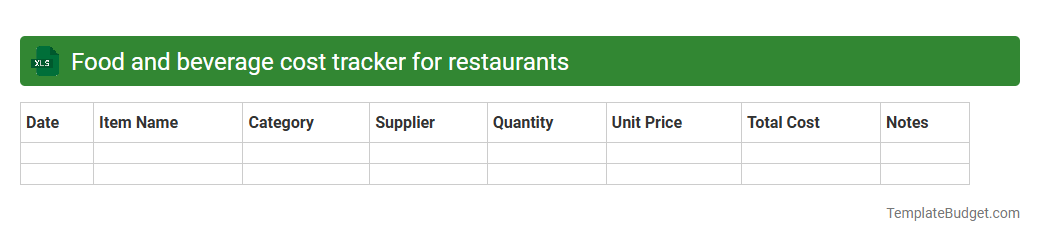
Food and beverage cost tracker for restaurants
An Excel document for a food and beverage cost tracker in restaurants typically includes detailed sheets with inventory lists, supplier price records, and daily purchase logs. It features formulas to calculate food cost percentages, track waste, and monitor price fluctuations over time, helping optimize menu pricing and reduce expenses. Key components often include categories for ingredient costs, portion sizes, sales data, and margin analysis to improve overall profitability.
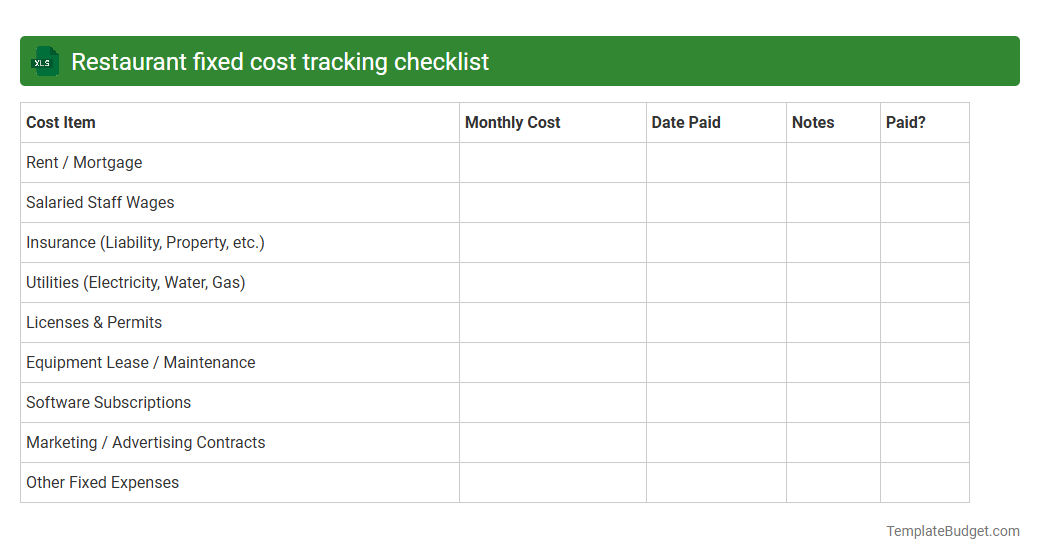
Restaurant fixed cost tracking checklist
An Excel document titled "Restaurant Fixed Cost Tracking Checklist" typically includes categorized expense items such as rent, utilities, insurance, salaries, and equipment leases. It contains columns for monthly budgeted amounts, actual expenses, variance analysis, and notes to monitor financial performance accurately. This structured layout facilitates systematic tracking and control of fixed operational costs essential for restaurant profitability.
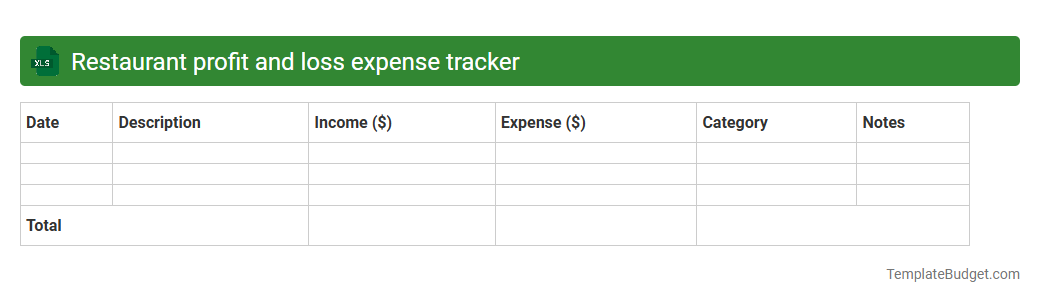
Restaurant profit and loss expense tracker
An Excel document titled "Restaurant Profit and Loss Expense Tracker" typically includes detailed categories such as revenue streams (food sales, beverage sales), cost of goods sold (ingredient costs, supplier payments), and operating expenses (rent, utilities, labor wages). It often features monthly or weekly profit and loss summaries, cash flow analysis, and charts to visualize financial performance over time. Formulas and pivot tables automate calculations, enabling restaurant owners to track profitability, manage budgets, and identify cost-saving opportunities efficiently.
Introduction to Restaurant Expense Tracking
Restaurant expense tracking involves systematically recording all expenditures to maintain accurate financial records. Efficient expense management is essential for sustaining profitability and controlling costs. Utilizing a professional expense tracker streamlines this process.
Importance of Managing Restaurant Expenses
Proper expense management prevents overspending and improves financial transparency in restaurants. It enables owners to identify cost-saving opportunities and optimize budget allocations. Effective control of restaurant expenses is a critical business practice.
Common Types of Restaurant Expenses
Typical restaurant expenses include food and beverage supplies, labor wages, utilities, rent, and maintenance. Understanding each category helps in categorizing and monitoring costs more efficiently. Tracking these core expense types is fundamental for accurate financial analysis.
Benefits of Using an Expense Tracker
An expense tracker automates data entry, reduces human errors, and provides real-time financial insights. It helps restaurant managers maintain organized records and make informed budgeting decisions. The use of an expense tracker offers enhanced financial control.
Features to Look for in a Restaurant Expense Tracker
Essential features include multi-user access, cloud synchronization, customizable expense categories, and detailed reporting capabilities. Integration with POS and accounting software enhances functionality. Selecting a tracker with robust and user-friendly features optimizes expense management.
How to Implement an Expense Tracker in Your Restaurant
Start by selecting a suitable tracker, training staff, and establishing clear expense recording policies. Regularly update and review expenses to ensure accuracy. Implementation success depends on consistent use and team collaboration.
Best Practices for Accurate Expense Tracking
Maintain receipts, categorize expenses correctly, and conduct periodic audits to verify data accuracy. Encourage staff accountability for timely and precise entry of expenses. Adhering to these best practices improves financial reliability.
Top Restaurant Expense Tracker Tools & Apps
Popular tools include Expensify, Zoho Expense, and QuickBooks, each offering various budgeting and reporting features. Choose apps that fit your restaurant's size and operational complexity. Leveraging top-rated expense tracking software enhances financial management.
Analyzing Expense Data for Better Decision Making
Reviewing expense reports highlights spending trends and identifies inefficiencies. Use this data to adjust purchasing and staffing strategies accordingly. Insightful data analysis supports more informed managerial decisions.
Tips for Reducing Restaurant Operating Costs
Implement inventory control, negotiate supplier contracts, and optimize energy usage to lower costs. Continuous monitoring of expenses helps detect and eliminate waste. Effective cost reduction requires strategic planning and execution.
More Restaurant Excel Templates